The HTC Desire HD (also known as the HTC G20 in some regions) is a classic Android device from 2010. Rooting it today is mostly a retro tech project, but it's doable.
Before you start
- Backup everything — rooting wipes data on most methods.
- You need a Windows PC (most tools are Windows-only), a micro-USB cable, and a charged battery.
- Enable USB debugging (Settings → Applications → Development).
- This phone is old — expect custom ROMs only up to Android 4.x (CyanogenMod 7/9/10 era). Don't expect modern apps to run.
General rooting path for HTC Desire HD / G20
There are two main routes depending on your firmware version:
If you're on an older HBOOT (0.85 / 1.0x) — easy route
- Unlock bootloader via HTCDev (HTC's official unlock tool still works for this device).
- Flash a custom recovery (ClockworkMod or TWRP 2.x) via fastboot:
fastboot flash recovery recovery.img
- Boot into recovery and flash SuperSU or Magisk (use an old Magisk version — modern ones won't run on Android 2.3/4.x).
- Reboot — you're rooted.
If you're on HBOOT 2.00.0027 or similar (later firmware)
You'll need to downgrade first:
- Use the AAHK (Advanced Ace Hack Kit) — the classic all-in-one tool for the Desire HD. It handles downgrade, S-OFF, and root in one go.
- Or manually: temp-root → downgrade HBOOT → S-OFF (via gfree) → flash recovery → flash root.
- Then flash a custom ROM (e.g., CyanogenMod 7.2 or JellyBeanSense) if you want.
Key tools you'll need
- AAHK (Advanced Ace Hack Kit) — search XDA forums (Desire HD section). It's the most reliable one-click method.
- Fastboot/ADB (platform-tools).
- ClockworkMod Recovery for Ace (Desire HD codename is ace).
- SuperSU zip (old version, e.g., 2.82).
- HTC Sync drivers so Windows recognizes the phone.
Important caveats
- HTCDev unlock voids warranty (moot now) and may require S-OFF for full root.
- S-OFF is needed to flash radios/recoveries freely — gfree exploit works on this device.
- Don't use modern Magisk — the phone's kernel/Android version is too old.
- Many download links on old XDA threads are dead — check archive.org or the "Desire HD General" XDA subforum for mirrors.
- If the phone is your daily driver — don't. It's a museum piece now.
Best resources
- XDA Developers → HTC Desire HD forum (still archived, search "AAHK" and "gfree").
- XDA thread: "[GUIDE] How to root Desire HD" — pinned threads have step-by-step.
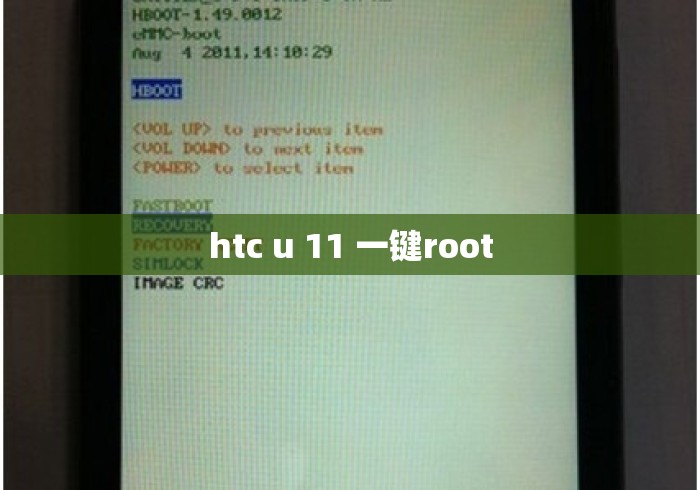
If you tell me your exact HBOOT version (boot into bootloader: hold Volume Down + Power), I can point you to the right specific method.


暂时没有评论,来抢沙发吧~